Beat Studio 1.6.0-BETA: Variable Tempo
Beat Studio 1.6.0-BETA adds variable tempo so patterns follow a song's real tempo curve, a new pattern creation wizard with audio sync, and retires Core.
Hope you’ve all had a great summer. This release is about one thing: making patterns follow real music. Real recordings drift, push and pull — and now your patterns can too. Variable tempo is the biggest change to Beat Studio since audio import, and it touches everything from the grid to notation. There’s also a brand-new creation wizard that pulls all the import tools into one place.
Variable tempo
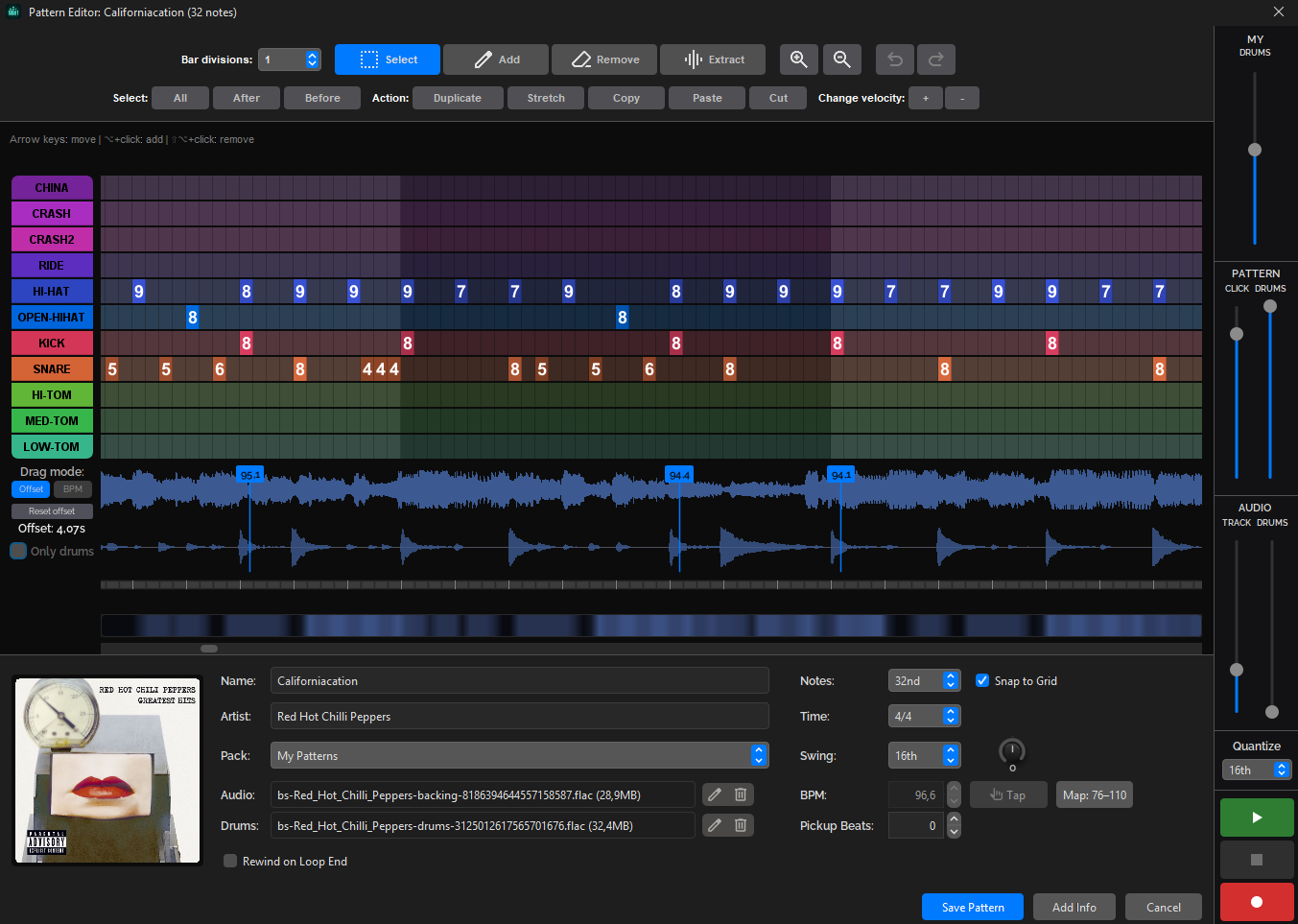
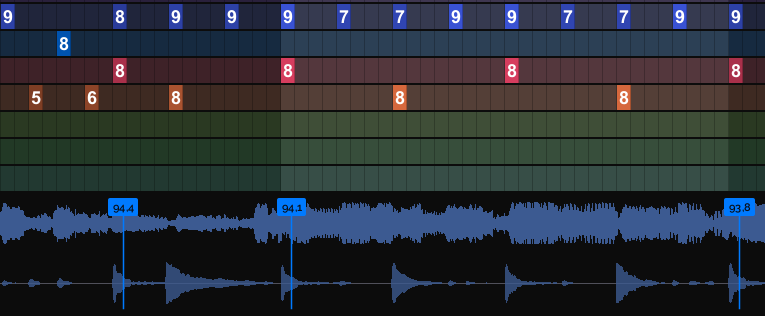
Patterns can now follow a song’s real tempo curve instead of a single fixed BPM. Songs that speed up, slow down or wander stay locked to the grid, so hits can be snapped to the grid and still sit exactly on the music.
How it works: the recording always plays at its own natural tempo — nothing you hear is time-stretched. What follows the curve is the pattern’s tempo, and the waveform display is stretched to line up with the grid. The one exception is training: changing the BPM there speeds up or slows down the backing track too.
- The tempo curve lives right on the audio wave. Hover where you want a point and click Add — this works even on a pattern with no curve yet; the first point creates one from the current tempo. Drag a point’s line to change the tempo around it (it snaps gently to bar lines; hold Shift to drag freely), hover an existing point to remove it, or drag the waveform itself to stretch it onto the grid. Each change is a single undo step.
- Playback follows the curve everywhere: drums, metronome and the playback line stay on the music through loops, pause and resume.
- Because hits can sit exactly on the grid, notation now comes out right automatically — no more nudging hits to make the score readable.
New pattern creation wizard
All the old creation and import windows are replaced by one wizard: pick a method — from scratch, from a MIDI/Guitar Pro file, or from audio — then configure it in a single flow. Tempo and hit detection are now part of that import process. The wizard analyzes the song, detects the tempo, and syncs the pattern to the recording, fully automatically when the audio allows it, with manual adjustment tools when it needs your help.
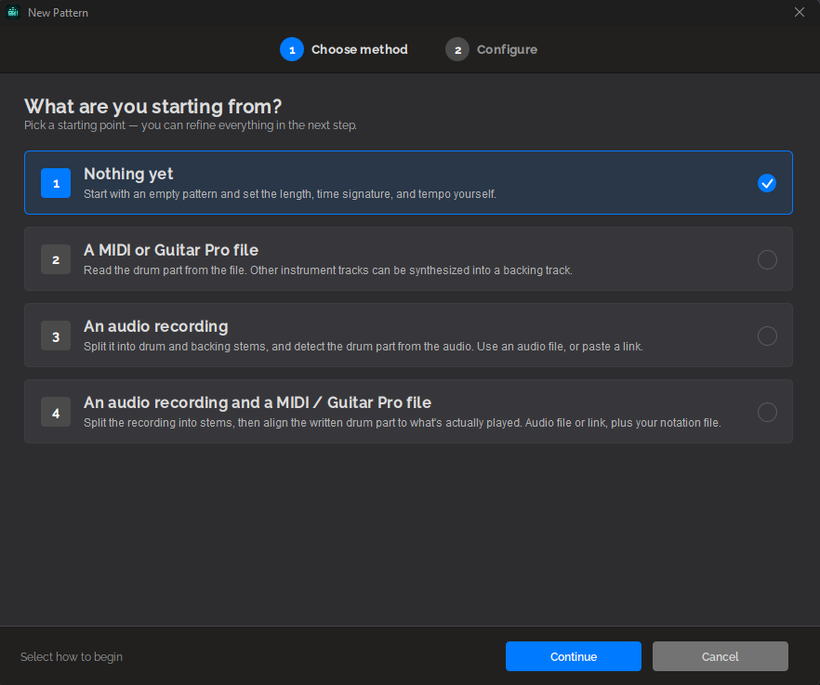
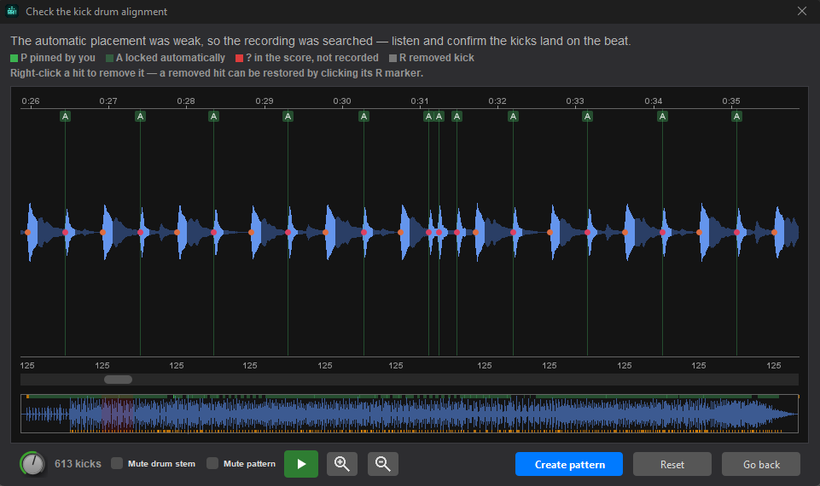
Import a MIDI or Guitar Pro file alongside a recording and the wizard matches the file’s hits to the actual audio. When it can’t — or the result is uncertain — the kick alignment view opens: waveform and detected hits on one timeline, drag a hit to nudge it and everything after it, pin what’s already correct, and preview. The alignment you make becomes the variable tempo map.
A word of warning. Many free MIDI and Guitar Pro files cover only part of a song, or have hits the band never played (or miss ones they did). YouTube music videos are frequently shorter edits of the released recording. When the file and the audio don’t tell the same story, no algorithm can line them up perfectly — expect to do at least some of the alignment by hand, in the alignment view or the pattern editor. In many cases, aligning just the first hit is enough: the alignment view snaps the remaining hits into place for you.
Small changes
- Cleaned up the pattern edit dialog: removed the “Link tempo to BPM” checkbox, the auto-sync tool, and the Detect Tempo, Set BPM and Show Hits features. All of this is now handled by variable tempo and the new import flow.
- Notation: fixed notes jumping to the wrong bar when a hit landed a few milliseconds early.
What about the Extract tool?
The Extract tool in the pattern edit dialog didn’t get any new features this time. I’ll get back to it after the next release, which will be a smaller one with minor changes and fixes.
One last thing: Core tier retired
The Core version is gone. Beat Studio is now Free and Pro, and everything Core unlocked is included in Pro.
Core was taking a big share of my testing time and still fell behind on features from release to release, so asking for a monthly payment stopped making sense to me. The good news: everything Core did is now in Pro, and every current Core user gets a −50% discount code to move up.
The FAQ has been updated to the two tiers. Older posts on this site still mention Core — they’re a record of what shipped at the time, and this is the change that replaced it.
That’s 1.6.0-BETA. Download links are in separate posts on Patreon. Update the app and let me know what breaks.