Beat Studio 1.7.0: Refreshed, Expanded, Reorganised
Beat Studio 1.7.0 leaves beta with a darker theme, triplets and tempo marks in notation, full-screen transport controls, and a rebuilt Settings dialog.
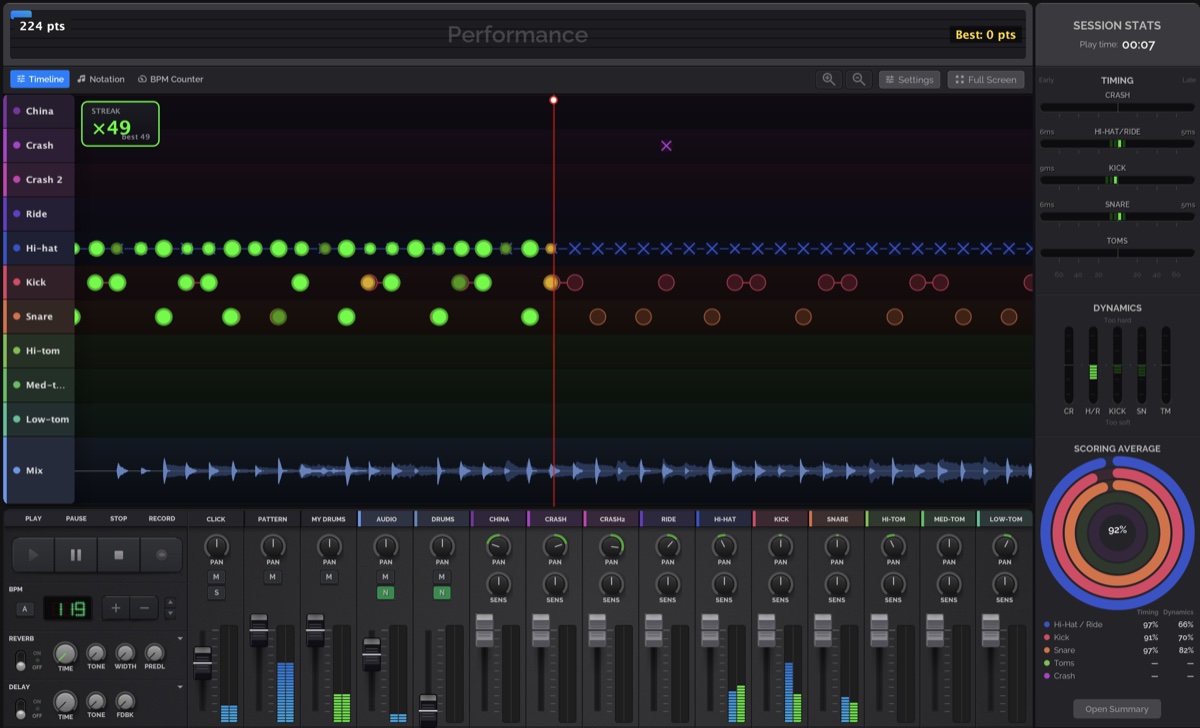
Three things in this release: a full visual refresh to a cooler, darker tone; a batch of new features, mostly around notation, tempo and playback feedback; and a reorganisation of older features that had ended up scattered — settings above all.
This also feels like the point where the app leaves beta behind. Development carries on as usual — there’s plenty still to come — but things have settled enough that “beta” no longer seems like the right label. If you missed the last big one, 1.6.0-BETA brought variable tempo.
Look and feel
- Full theme refresh to a cooler tone across the whole application.
- General style and layout polish throughout.
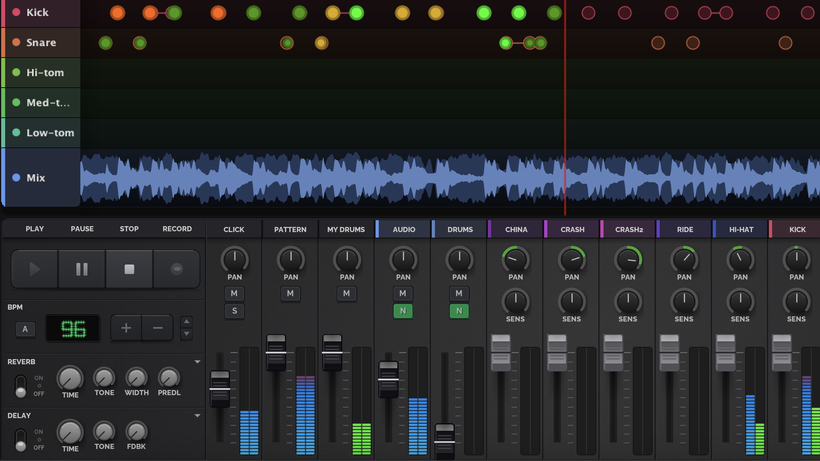
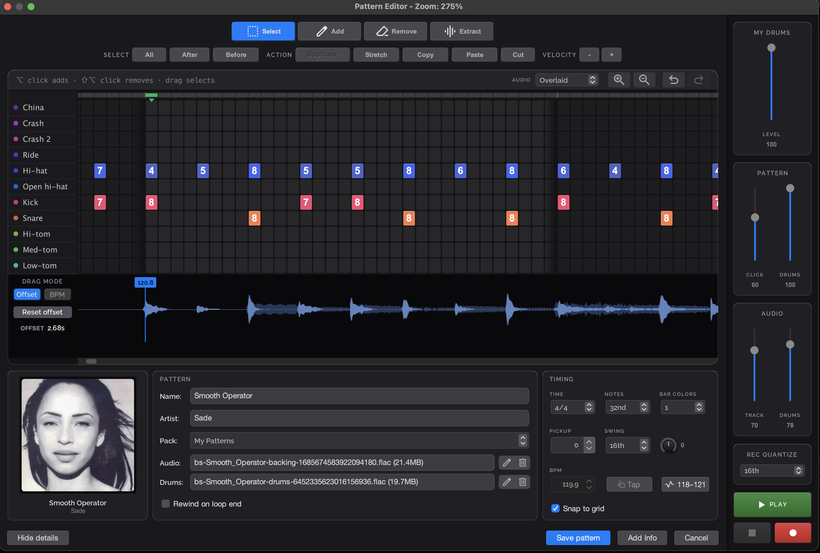
- New overlaid display option for audio waves.
Notation and timeline
Triplet support is much better, end to end — from pattern creation through notation rendering and import.
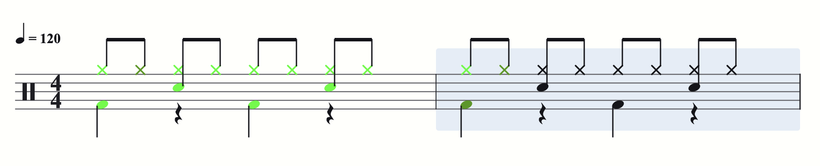
The notation view now shows a tempo mark (♩ = 120) above the first bar, and it follows the BPM control as you change it. Toggle it under Settings → Notation.
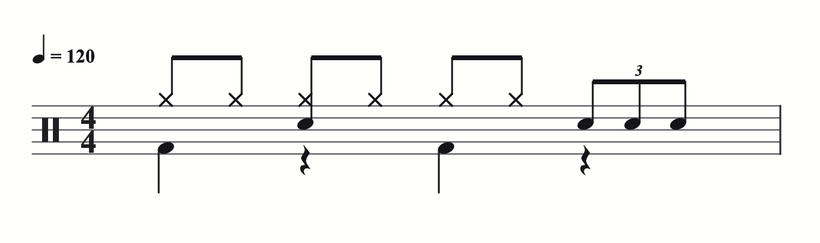
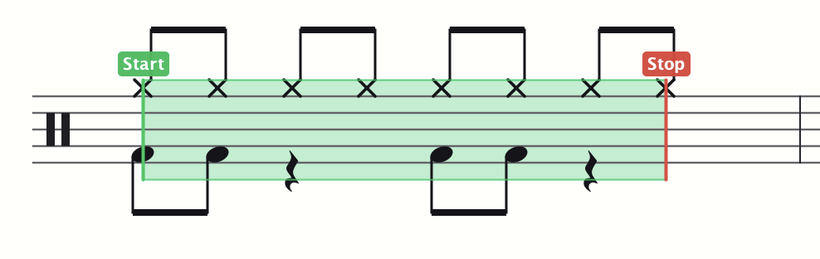
Click anywhere in the score to set a custom playback start position or a loop. It’s shared with the timeline’s start and loop markers, so switching views keeps your practice section.
Your hits are now colour-coded against the pattern right in the notation, the same feedback you already get on the timeline.
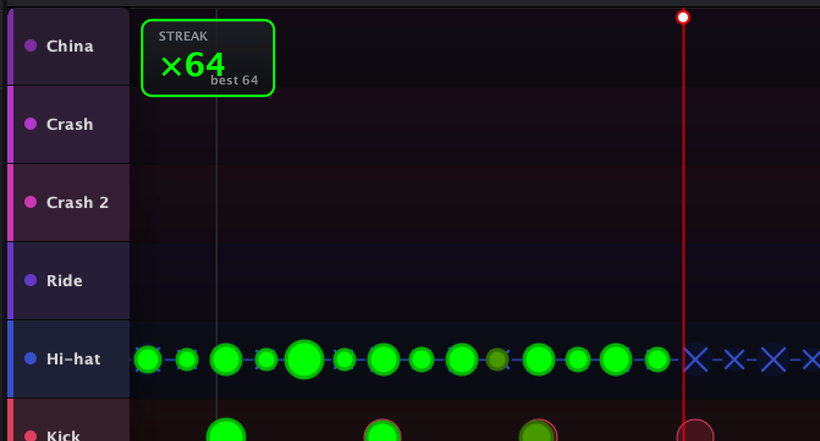
Hit streak information is shown on both the timeline and the notation. It can be turned on or off in Settings.
All timeline and notation settings have moved into the Settings dialog, with a quick link from the main UI.
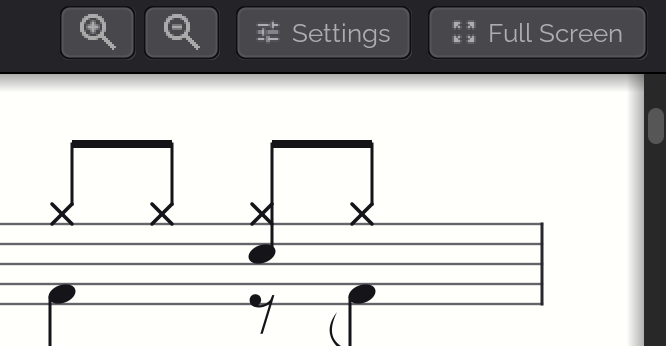
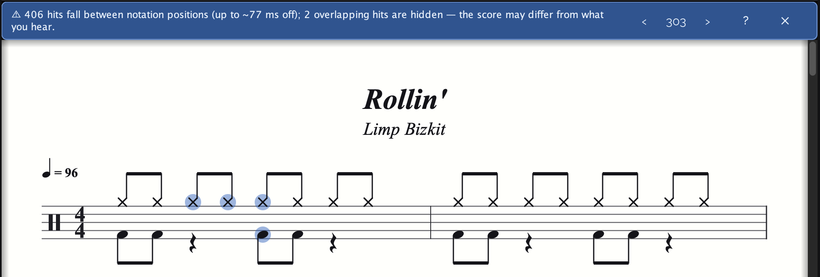
The notation view now warns when a pattern contains hits that can’t be engraved accurately — off-grid, overlapping, or wrapping hits — with ‹ › buttons that step through each affected note.
Full screen
Full-screen mode gained transport controls — Play, Pause and Stop, plus a BPM selector — and the timeline now uses all the available vertical space. A keyboard shortcut (Tab by default) toggles full screen on and off.
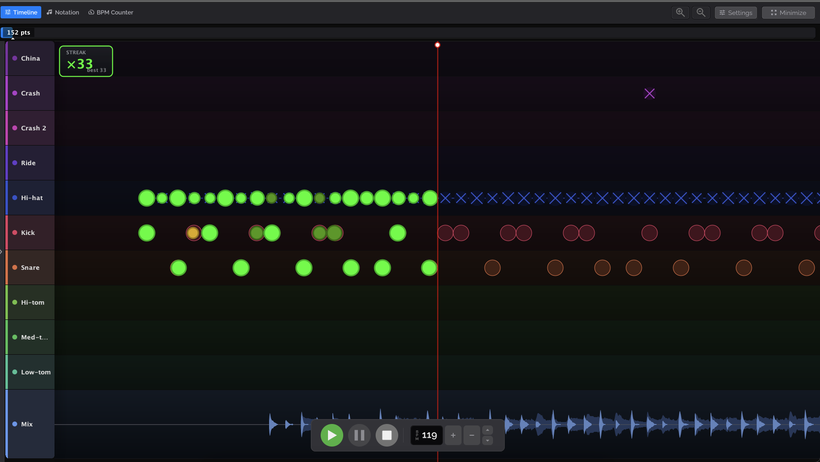
You can also have the app go full screen automatically when playback starts.

Patterns and editing
The pattern edit dialog is fully refreshed, with a new Show/hide details toggle. The song intensity map has been removed.
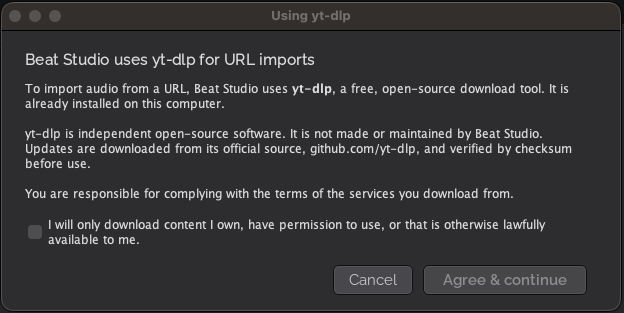
URL imports now show a one-time consent dialog covering the use of yt-dlp and your responsibility for the content you download.
Tempo and metronome
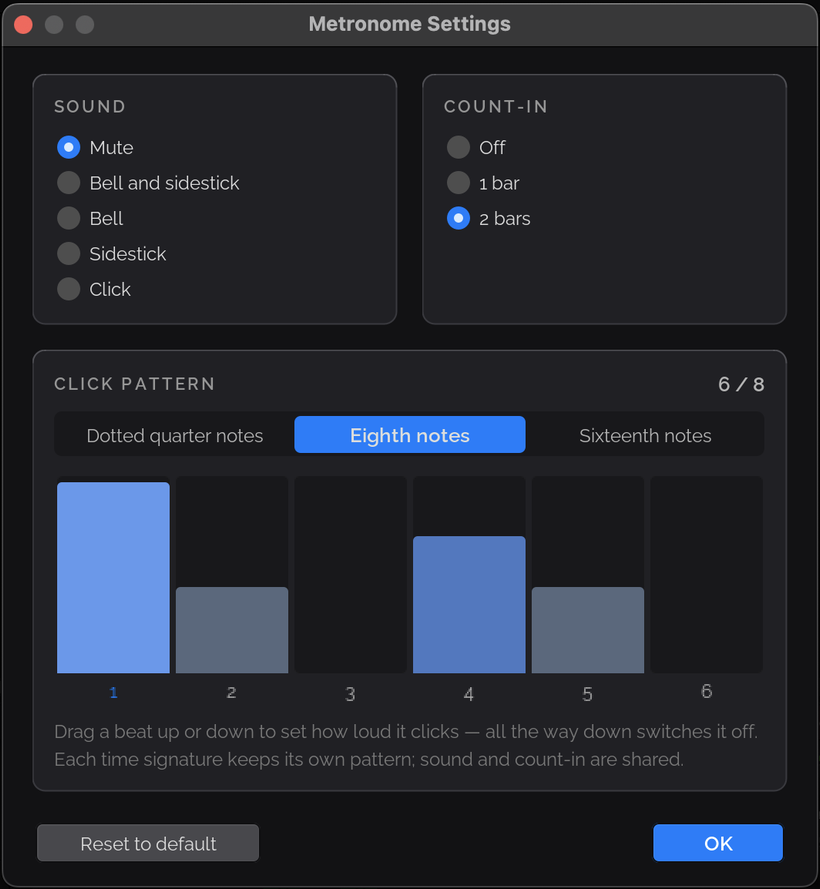
The metronome has more settings, with an independent click pattern for every time signature.
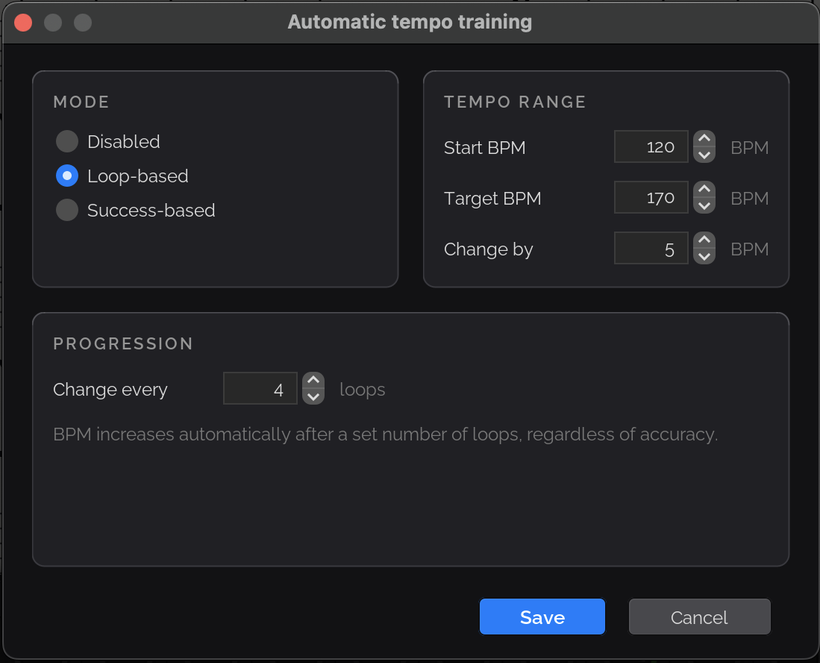
The BPM automation dialog is fully refreshed.
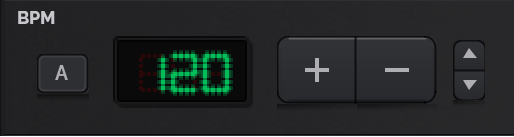
The main BPM buttons are reworked: the large buttons now step ±10 and the small ones ±1. The display no longer shows fractional digits.
Settings and shortcuts
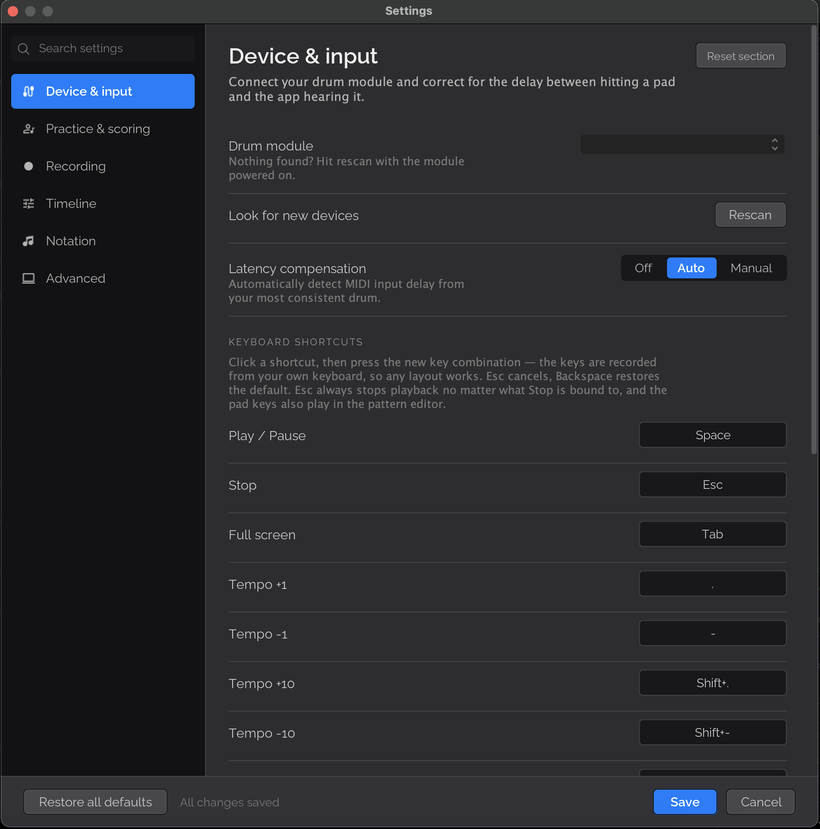
The Settings dialog is fully refreshed, with new settings throughout. The main functions now have configurable keyboard shortcuts — and you can bind keys to drum pads too.
Diagnostics and maintenance
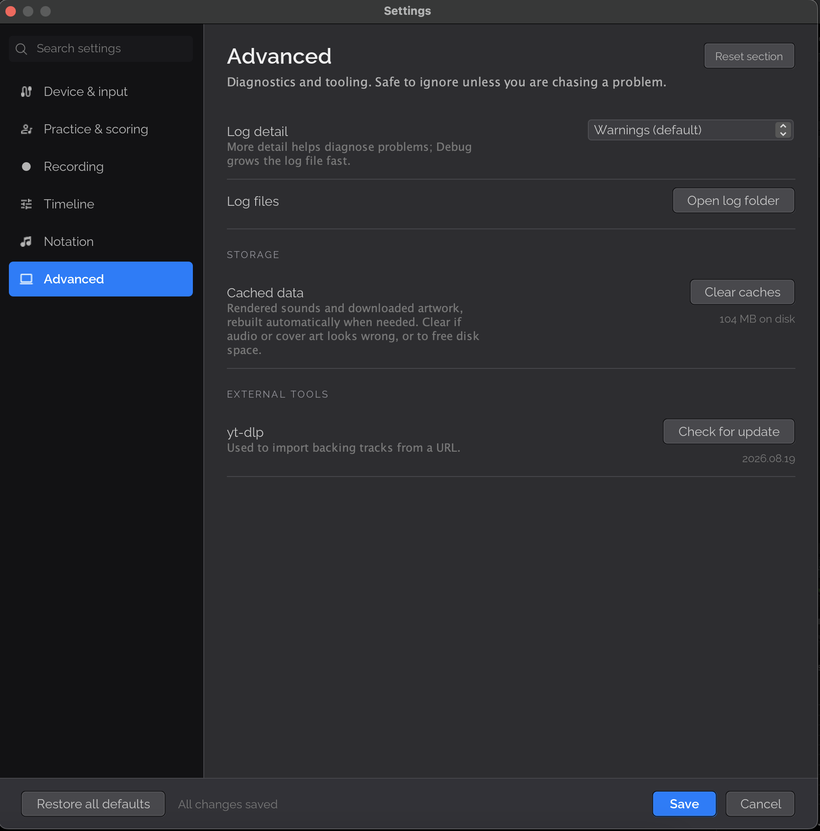
- Log level selector in Settings, plus a button that opens the log folder for troubleshooting.
- Clear cached data.
- Clear orphaned backing tracks.
Performance and fixes
- Playback performance optimisations.
- Fixed saving a pattern’s top score.
- Fixed a number of playback issues.
That’s 1.7.0. Download links are in separate posts on Patreon.