Beat Studio 2.0: A New Library and Progress You Can See
Beat Studio 2.0 opens to a new card-based library, adds detailed session summaries with star ratings and insights, full pattern history, and fairer scoring.
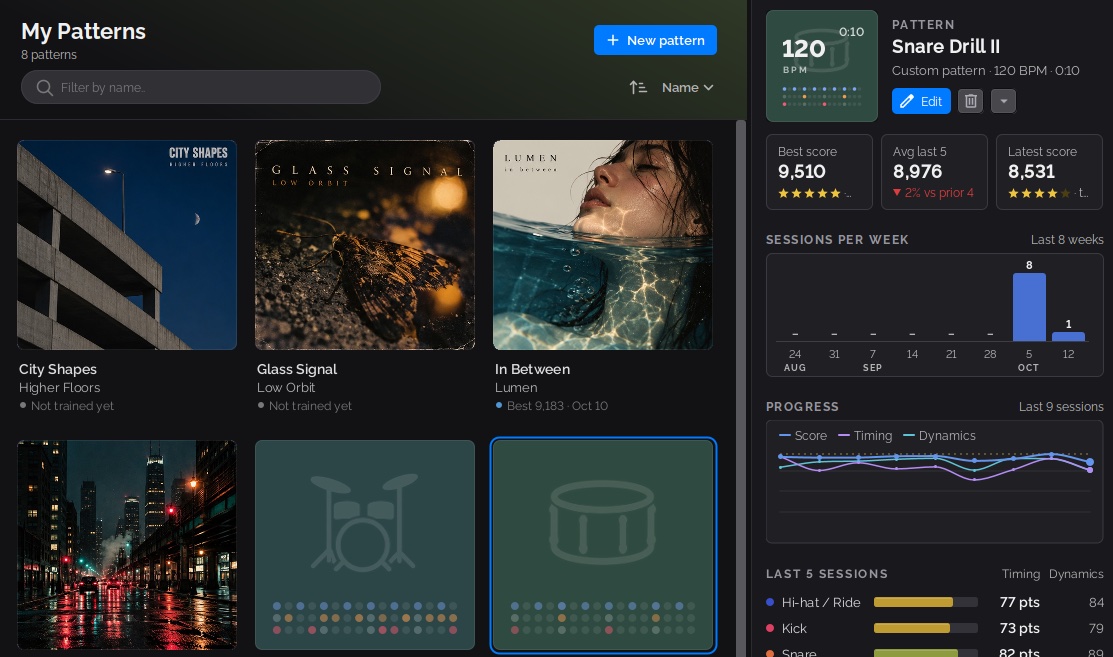
Practising is easier and more fun when you can see it paying off. Beat Studio now opens to a new library that changes the whole look and flow of the app: your patterns, packs and kits sit in one place as cards, with your scores and progress right alongside. Every session now tells you something, with clearer scoring, detailed session summaries and a full history for every pattern, so every minute behind the kit counts toward something you can see.
New library view
New home screen. The app now opens to a library. A sidebar on the left lists your pattern packs, plus kits, Settings and your user profile. Right-click a pack for its actions, or drag pattern cards onto a pack to move them.
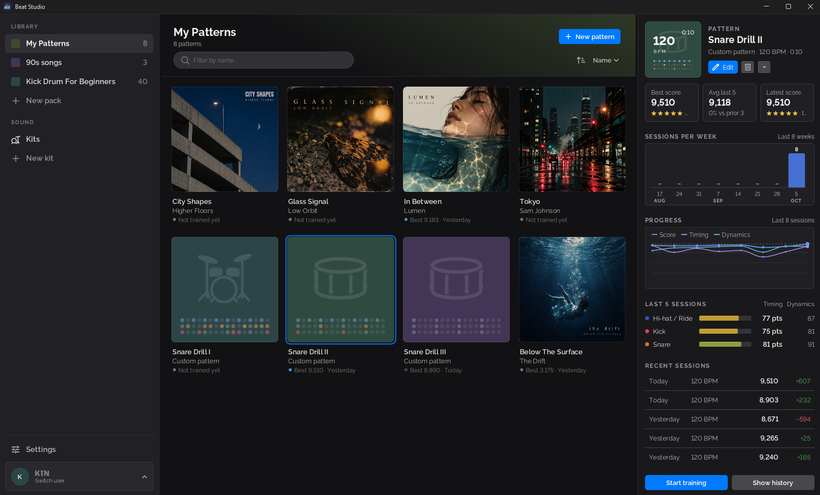
Pattern cards. Patterns and kits show as a grid of cards. A card shows cover art or a coloured icon tile, and a pattern without cover art shows a small preview of its beat. You can sort by best score, times played, name, BPM or length.
Pattern summary column. Selecting a pattern shows its details, tools and scoring, plus four main sections: Sessions per week, Progress, Pad scores (last 3 sessions) and Recent sessions.
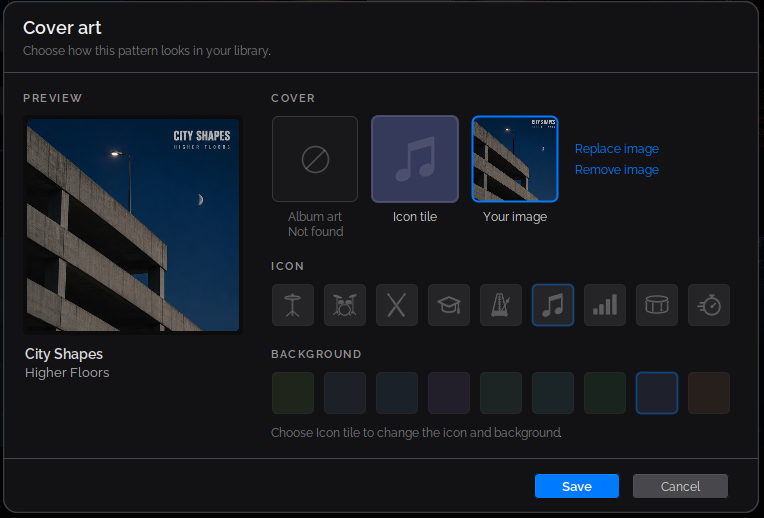
Pattern covers. A new cover picker lets you use the album art, your own image, or one of nine built-in icons (drum kit, snare, cymbal, metronome and more) on a background colour of your choice.
Train view and app layout
Simpler layout. The train view’s Normal and Full-screen modes are now called Studio and Focus:
- Studio is the original view, with the mixer and all the controls and details.
- Focus shows only the timeline or notation, with simple scoring info. It’s now the default view.
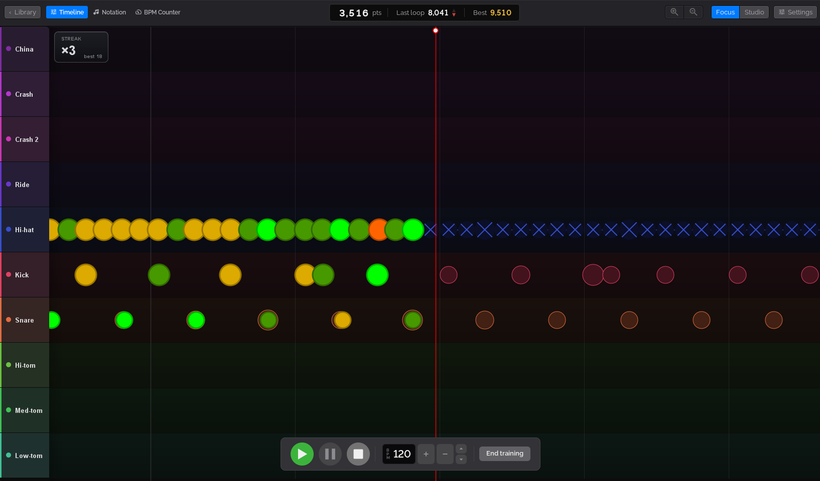
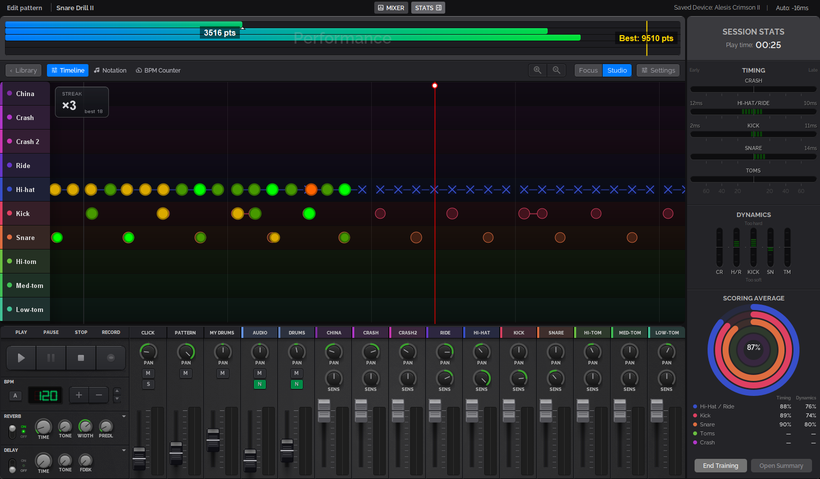
Menus. The old File, Packs and User menus are gone. Their actions are now in the library sidebar and the user menu, and About (version, edition, build date) is now a section in Settings.
Removed. The full-screen pattern drawer and pattern list have been removed.
Dialogs inside the main window. Session summary, pattern history, Settings and the pattern editor now open as a dimmed layer inside the main window instead of as separate windows.
Session summary
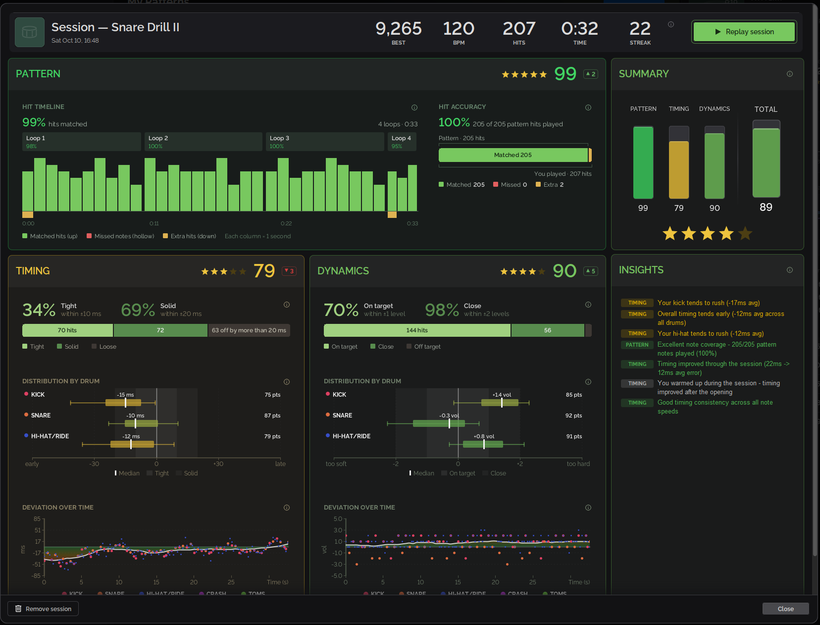
The session summary has a new layout that shows how you played at a glance. It’s split into four cards: Pattern, Timing, Dynamics and Summary. Each one has a 1–5 star rating and a score out of 100, coloured by how well you did. A small ▲/▼ badge shows whether you did better or worse than in your recent sessions on this pattern, and you can hover over it to see your recent average.
The Hit Timeline marks every note you hit or missed, plus any extra hits, so you can see where things went wrong. The Timing and Dynamics cards break your playing down by drum, so you can quickly spot a dragging kick, a snare that’s too loud or an unsteady hi-hat.
Next to the cards, Insights gives short tips on what went well and what to work on next.
You can also replay a saved session to hear how you actually played, or delete sessions you don’t want to keep.
Pattern history
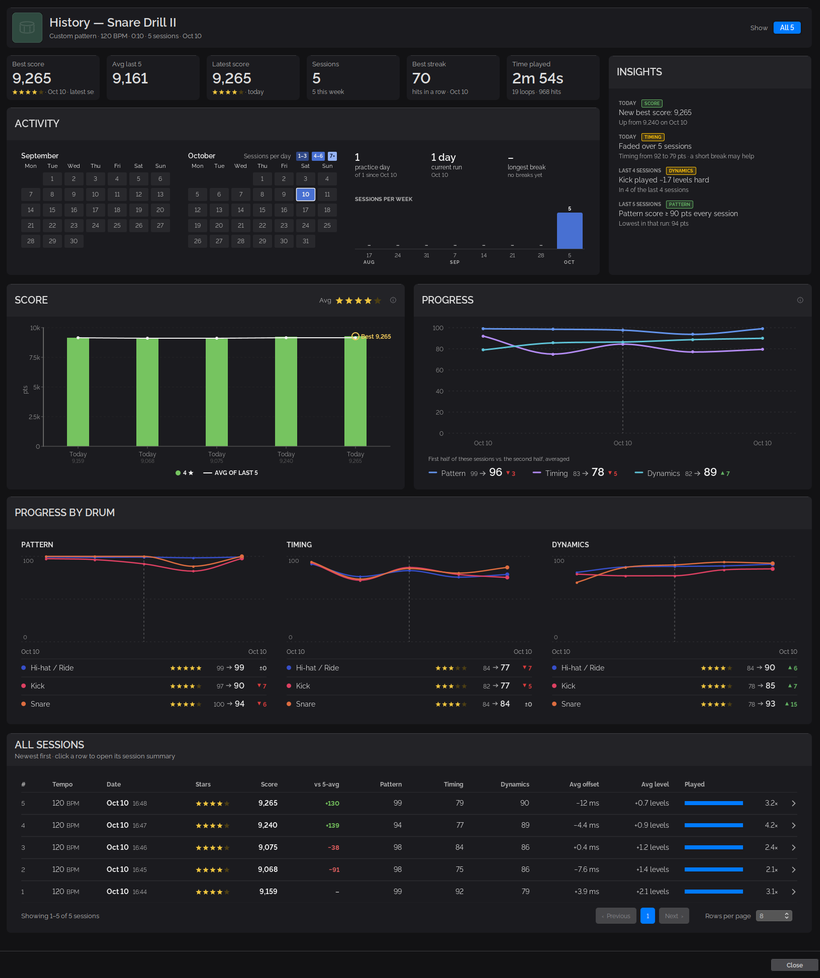
Pattern history shows how you’re improving on a pattern over time. At the top you’ll see your best, average and latest scores, how many sessions you’ve played and how much time you’ve put in. You can show just your recent sessions or all of them, and filter by tempo if you’ve practised at more than one.
The charts show whether your Pattern, Timing and Dynamics scores are going up, and which drum is falling behind. A practice calendar shows how regularly you’ve been playing.
Insights point out what has changed over time, such as getting steadier or getting tired toward the end. Click any session in a chart or in the session list to open its full summary.
Scoring
This update removes all saved pattern high scores the first time you start the app, because the scoring system and the way session data is saved have changed. On first startup, a dialog asks you to confirm the update.
- Changed scoring rules. Each note is scored on whether you hit it, your timing and your dynamics. Missed notes and extra hits cost points.
- Removed settings. The custom “perfect timing” and “perfect velocity” window settings are gone. Any stored values are ignored.
- Partial sessions count. If you stop training mid-song, the points earned up to then are saved.
Fixed
- Guitar Pro repeat signs are now imported correctly.
This is the last release under the old membership and single-version purchase model. From the next version on, Beat Studio switches to a classic lifetime licence — see Beat Studio 2.1 for the details.