Use Beat Studio Sounds With E-Drums: Wiring Guide
Connect your electronic drum kit to play Beat Studio's own sounds, with or without an audio interface: which cable goes where and which output to choose.
This is the wiring guide for the first setup tutorial, for when you want to hear Beat Studio’s kit when you hit a pad. Your hits trigger the Beat Studio kit, and everything you hear comes out of the computer.
Turn your module’s volume all the way down so its own kit stays silent.
Only one thing should make a sound when you hit a pad. If every hit sounds doubled, flammed or echoed, your module is playing it too, so turn the module down. The pattern’s drums are different: they’re the part you play along to, and you set their level in the mixer.
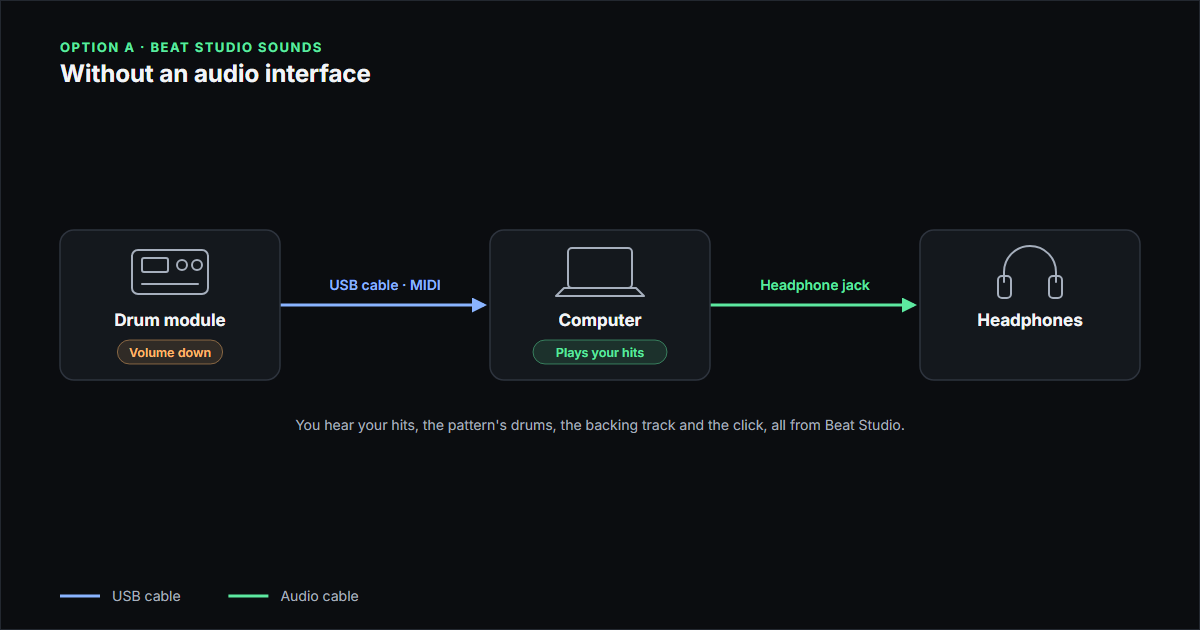
Without an audio interface
- Drum module → USB cable → computer
- Computer headphone jack (or wired speakers) → your headphones
Leave the module’s headphone and audio output jacks empty. In Step 4, choose your computer’s headphones or speakers as the output device.
With an audio interface
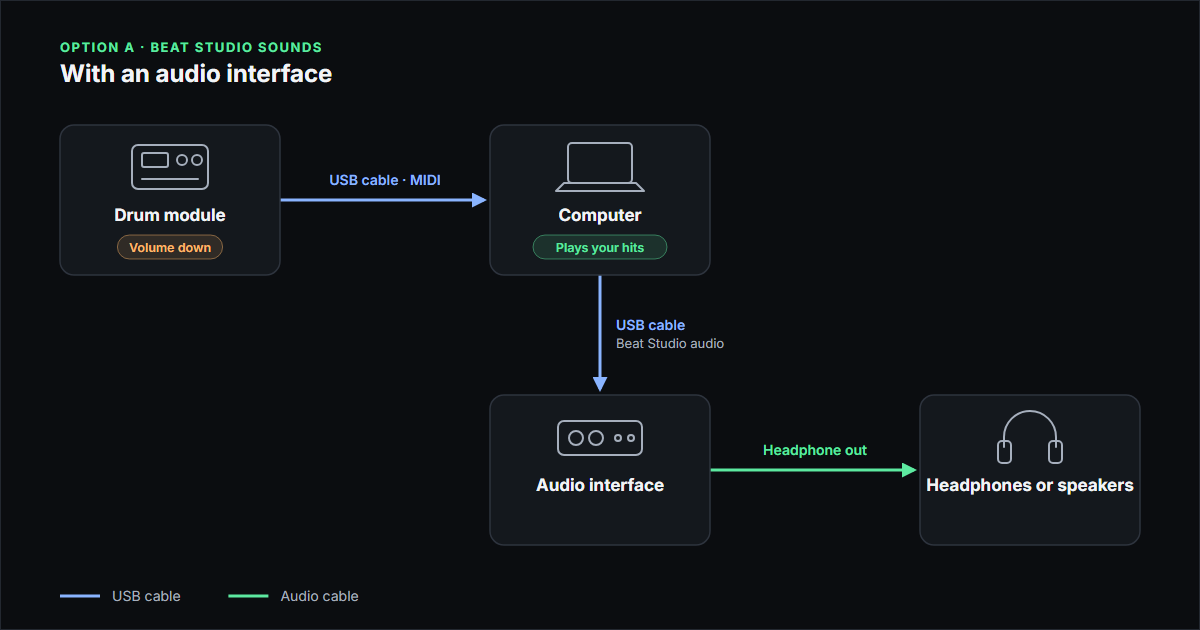
- Drum module → USB cable → computer (MIDI)
- Computer → USB cable → audio interface (Beat Studio audio)
- Interface headphone out → your headphones or speakers
Plug the module’s USB cable into the computer, not into the interface. In Step 4, choose the interface as the output device.
Other setups
These two setups are the basic ones, and they work with almost any kit. Many drum modules and audio interfaces can do more: some modules work as a USB audio interface themselves, and many interfaces and mixers can route the module’s audio and the computer’s audio in other ways. Those setups can work well too, but they depend on your gear, so check its manual. Whatever you build, the same rule applies: only one thing should make a sound when you hit a pad.
Next step
Your cables are done. Go back to the first setup tutorial and check that Beat Studio sees your kit. If you’d rather hear your module’s own kit, see the drum module sounds wiring guide.